Now live — free to start

Build a website with Claude. Publish it in seconds.

LandingConnect turns the site you build with Claude into a real, live web page — with a free landingconnect.com address, your own custom domain and automatic SSL, and one-command updates whenever you want to change something.

See how it works

No servers to manage. No deploy scripts. Just ask Claude to publish.

How it works

From idea to live URL in three steps

Works anywhere you use Claude — chat, Cowork, or Claude Code.

1

Build it with Claude

Describe the site you want. Claude writes the HTML, styling, and content for you.

2

Publish through the connector

The LandingConnect connector deploys your files and hands back a live URL — instantly.

3

Share, grow, update

Add a custom domain, get SEO tips, watch your traffic — and redeploy anytime.

Real examples

Things people built by chatting

Not templates, and not all landing pages — a browser game, a season calendar, a road-trip planner, a quiz for a fifth-grader. All live, all built by describing them to Claude.

Already have a site? Move it over.

Point Claude at what you have and it rebuilds every page as fast static HTML you update by chatting.

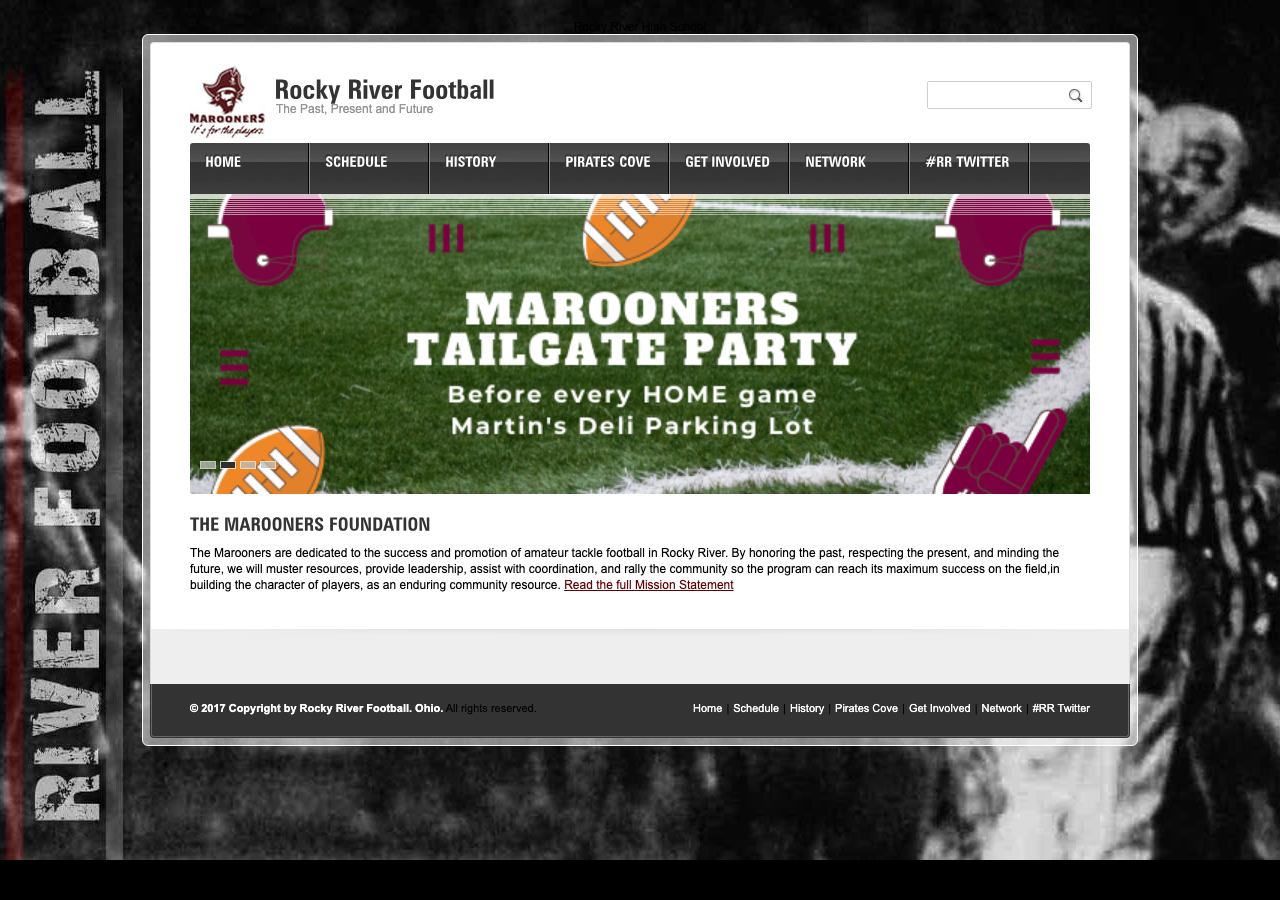
Before The previous Rocky River Football website — a dated 2017 design
The old site — last updated in 2017.
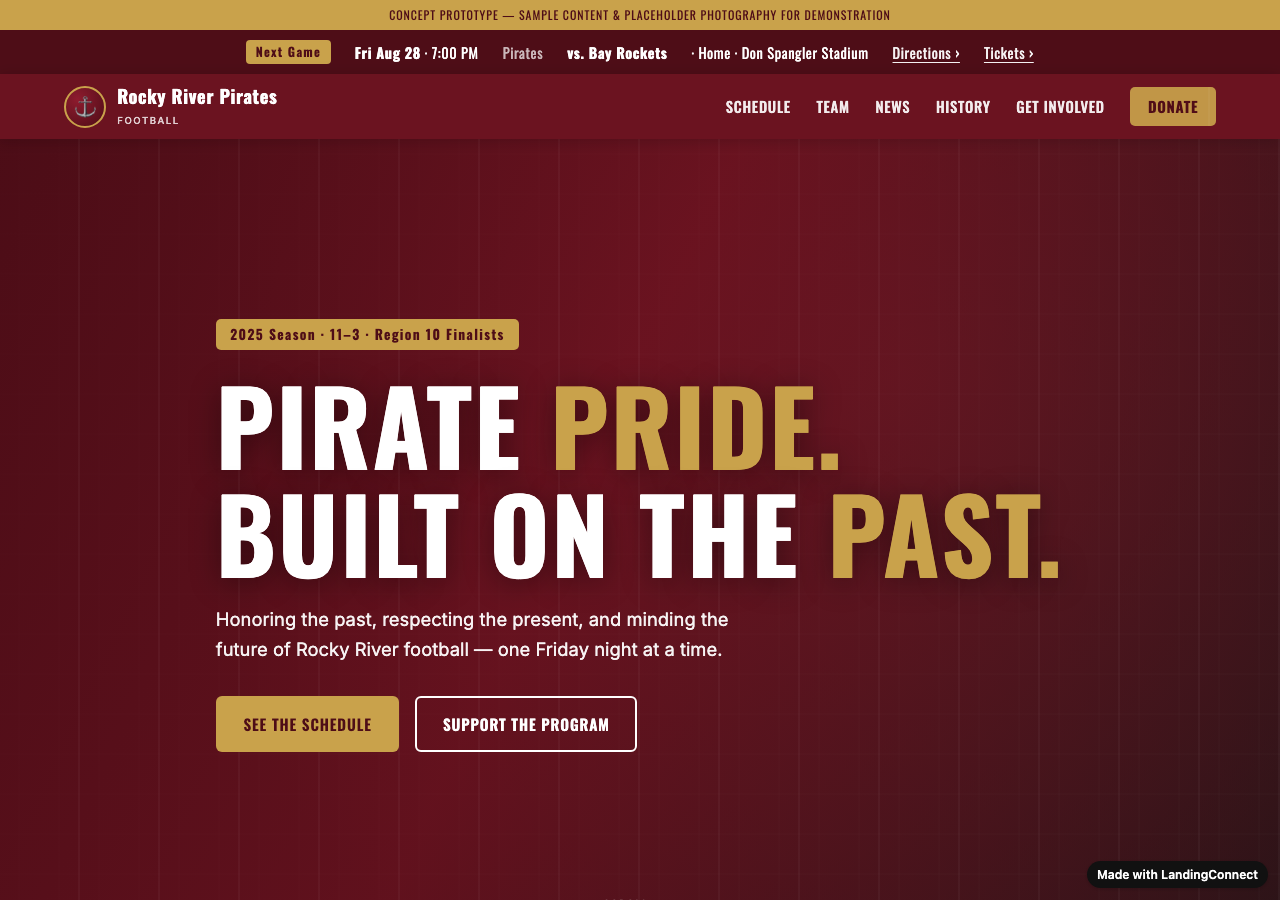
After The new Rocky River Pirates site, built with Claude and published on LandingConnect
Rebuilt with Claude, live in minutes — see it live →
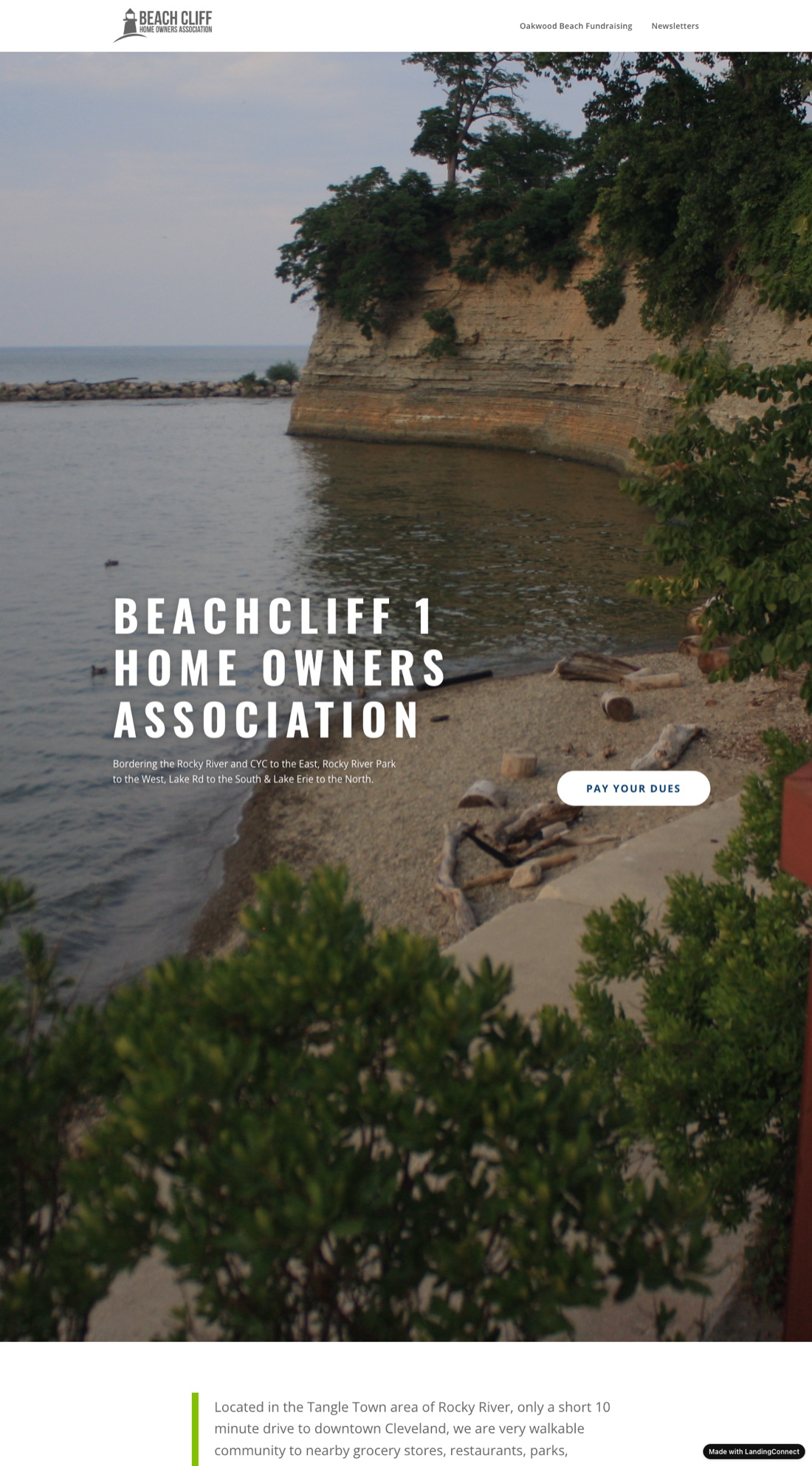
Cloned Beachcliff 1 HOA — a live WordPress site cloned to LandingConnect
A faithful clone of beachcliffassociation.com — see it live →

Point Claude at a live WordPress site and it rebuilds every page — layout, fonts, colors, images, and links — as fast static HTML you update just by chatting. Same look, none of the WordPress upkeep or hosting bills.

Build yours with Claude →
What you can build

What will you build?

Pick one and paste it into Claude. It asks a few plain questions, builds the pages, and publishes them.

Play & learn

Games, quizzes and study tools — sized for a phone, a tablet or even a watch.

  • “Make a quiz game about fractions for my fourth-grader, with a score and a play-again button, and put it online so she can play it on her tablet.”
  • “Build an endless-runner game where a fox hops over logs and catches fireflies. Arrow keys on a laptop, tap on a phone, and keep a best score.”
  • “Turn these vocabulary words into flip-card flashcards with a shuffle button and a count of how many I got right.”

See a real one →

Family & community

Calendars, rosters and newsletters for the groups you help run.

  • “Make a season calendar for our Scout pack with every meeting and campout, and a button that adds the whole year to your phone's calendar.”
  • “Build a page for my kid's soccer team with the roster, the game schedule, field addresses with map links, and the snack rotation.”
  • “Collect our family recipes into a little online cookbook, one page per dish, with Grandma's notes and a print button.”

See a real one →

Trips & events

Itineraries, weddings and meetups — one link everyone can open on their phone.

  • “Plan six Fourth-of-July getaways within a four-hour drive and show them on a map by drive time, with what makes each one worth the trip.”
  • “Turn our Italy trip plan into a day-by-day itinerary with addresses and times that the whole group can open on their phones. Keep it unlisted.”
  • “Make a wedding website with our story, the schedule, hotel and parking details, and a button that emails us to RSVP.”

See a real one →

Business & B2B

One-pagers, menus and rate cards that make the ask obvious.

  • “Build a one-page site for my wholesale produce business: who we supply, what we grow, a few stats, and a clear button to contact us.”
  • “Put our pub's menu online with prices and allergy notes, our hours, and a map, and make it easy to update when the specials change.”
  • “Make a one-page rate card for my consulting practice: three packages with prices, what each includes, and a button that emails me to book a call.”

See a real one →

Personal brand

An author page, a résumé or a portfolio at a link you can hand out.

  • “Build an author website with my three books, a short bio, buy links for each, and a button that emails me for speaking requests.”
  • “Turn my résumé into a clean one-page site with my experience and skills, a link to download it as a PDF, and a button to email me.”
  • “Make a link-in-bio page for my Instagram with my photo, a one-line intro, and big buttons to my shop, my podcast, and my newsletter.”

See a real one →

Share a doc

Turn a report, proposal or dashboard into a link — unlisted or password-protected.

  • “Publish this report as a password-protected page I can send to my client, with a table of contents and a print button.”
  • “Turn this spreadsheet of monthly sales into a one-page dashboard with charts and a short summary, unlisted so only people with the link can see it.”
  • “Turn this proposal into a web page my prospect can read on their phone: scope, timeline, three price options, and a button to email me a yes.”

Move a site

Paste the address of a site you already have. Claude rebuilds it as fast pages you update by chatting.

  • “Copy our HOA's WordPress site at example.com into a LandingConnect site I can edit here, keeping the look, the pages, and the documents.”
  • “Our youth football site hasn't been updated since 2017. Rebuild it from example.com with a modern look, the same information, and faster pages.”
  • “Make our nonprofit's site at example.com clearer and more modern, with a big donate button and a before-and-after SEO check.”

See a real one →

Why LandingConnect

Everything a page needs — nothing to configure

Instant deploys

Publish in seconds. Updates are just another deploy — the URL never changes.

Custom domains

Point your own domain at your site and SSL is issued automatically — no certificate steps.

One-click rollback

Every version is kept. Revert to a previous deploy in a single step if you need to.

Built-in SEO & AI search

Get prioritized SEO, GEO, and AI-overview tips so people — and AI engines — find you.

Traffic at a glance

See visits, top pages, and referrers right from the connector or your dashboard.

Fast & secure edge

Served from a global edge with HTTPS everywhere. Free to start, generous limits.

Get started

Add the connector to Claude

Connect once, then just ask Claude to publish your site.

  1. Open Claude's connector settings In Claude (chat, Cowork, or Code), add a custom connector.
  2. Paste the connector URL https://connect.landingconnect.com/mcp — then sign in when prompted.
  3. Ask Claude to publish Say "deploy my site" and you'll get a live URL back in seconds.

Your next page is one message away

Build it with Claude, publish it with LandingConnect, and share a real link today.

Get started — it's free